> ## Documentation Index
> Fetch the complete documentation index at: https://docs.moverse.ai/llms.txt
> Use this file to discover all available pages before exploring further.
# Recording
Moverse Studio allows you to record the performances of actors, capturing their motions for analysis or future reference. The recording controls are located at the bottom of the studio interface. Here are the steps to use this feature:
### Step 1: Start Recording
* Locate the recording UI panel at the main bar of the studio interface.
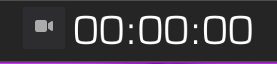 * Press the **Recording** button to start capturing the actor's performance. A stopwatch will appear, indicating that recording is in progress.
 ### Step 2: Stop Recording
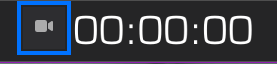
* To stop recording, press the **Recording** button again. If you have set a duration for the capture, the recording will stop automatically when the timer ends.
### Step 3: Description
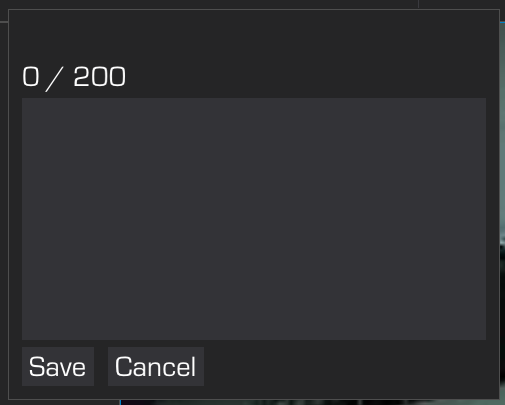
* After stopping the recording, an additional UI container will appear. Here, you can name the recording.
### Step 2: Stop Recording
* To stop recording, press the **Recording** button again. If you have set a duration for the capture, the recording will stop automatically when the timer ends.
### Step 3: Description
* After stopping the recording, an additional UI container will appear. Here, you can name the recording.
 ### Step 4: Save or Cancel
* Once you have filled in the description, press **Save** to store the recording.
* If you decide not to keep the recording, press **Cancel** to discard it.
### Conclusion
Using these steps, you can efficiently record, label, and manage actor performances within Moverse Studio. This functionality is essential for tracking progress, rehearsals, or creating a library of motion captures.
### Step 4: Save or Cancel
* Once you have filled in the description, press **Save** to store the recording.
* If you decide not to keep the recording, press **Cancel** to discard it.
### Conclusion
Using these steps, you can efficiently record, label, and manage actor performances within Moverse Studio. This functionality is essential for tracking progress, rehearsals, or creating a library of motion captures.